The icon shows what's going on
Running, paused, or it has found something — you can tell without opening anything.
 Refresh Loop
You're waiting on an order, a grade, a decision, a reply. So you sit there pressing F5 every two minutes instead of going about your day. Refresh Loop watches the page and tells you the moment it changes.
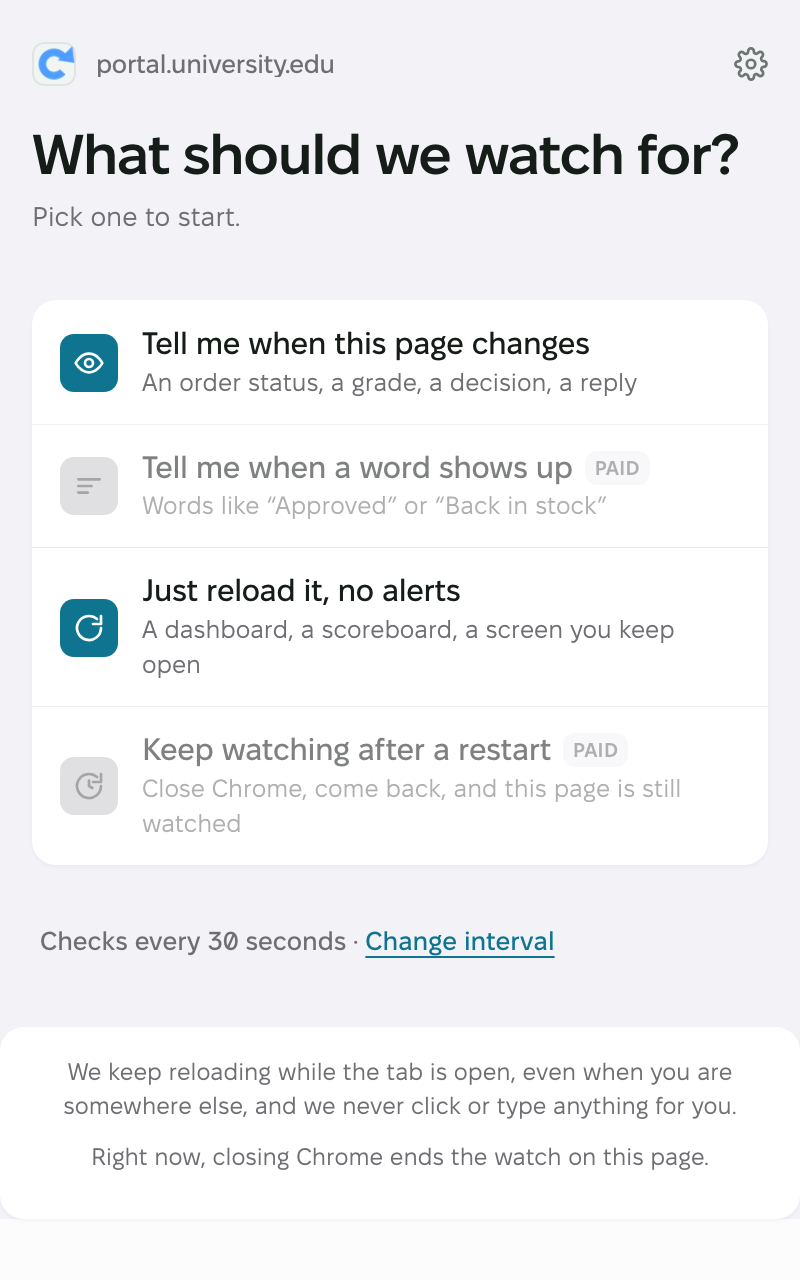
The worst thing an extension like this can do is quit on you without saying anything. So the popup shows real numbers: how many checks it has run, how long since the last one, and how long the timer has been going.
And a “Check now” button runs a check right away, without waiting for the timer.
Refresh Loop checks twice before saying anything, so ads and half-loaded pages don't set off a false alarm. That part is free.
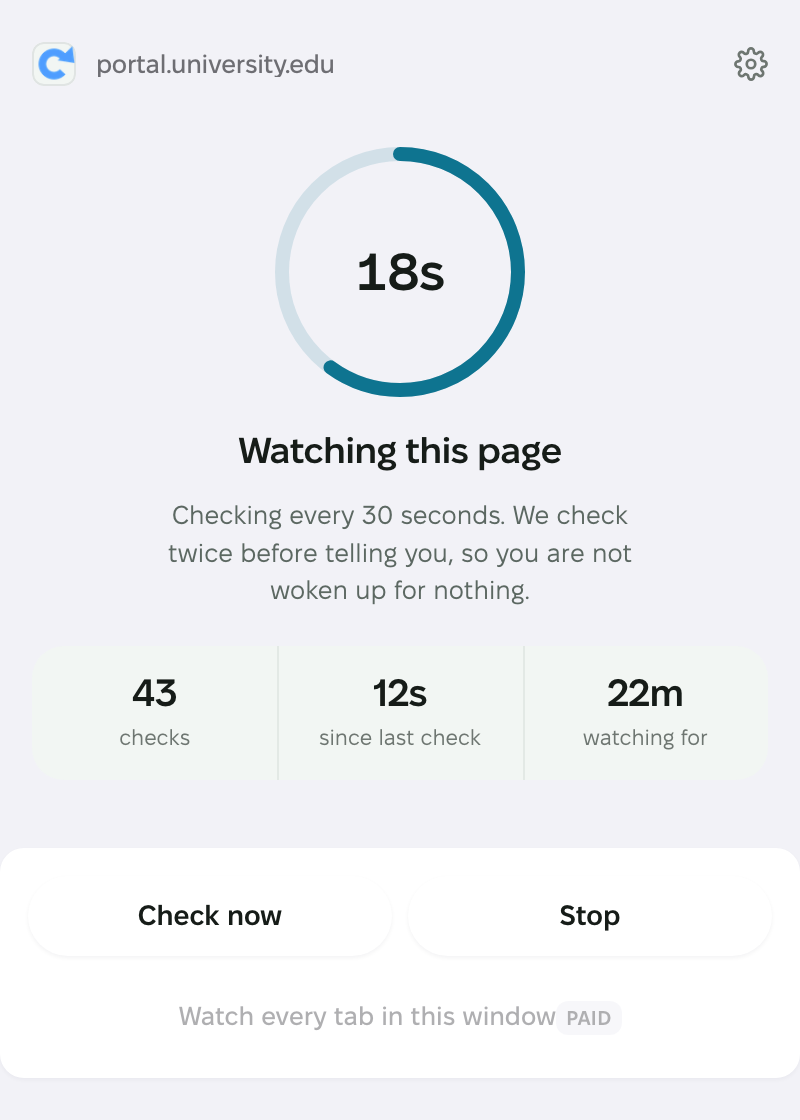
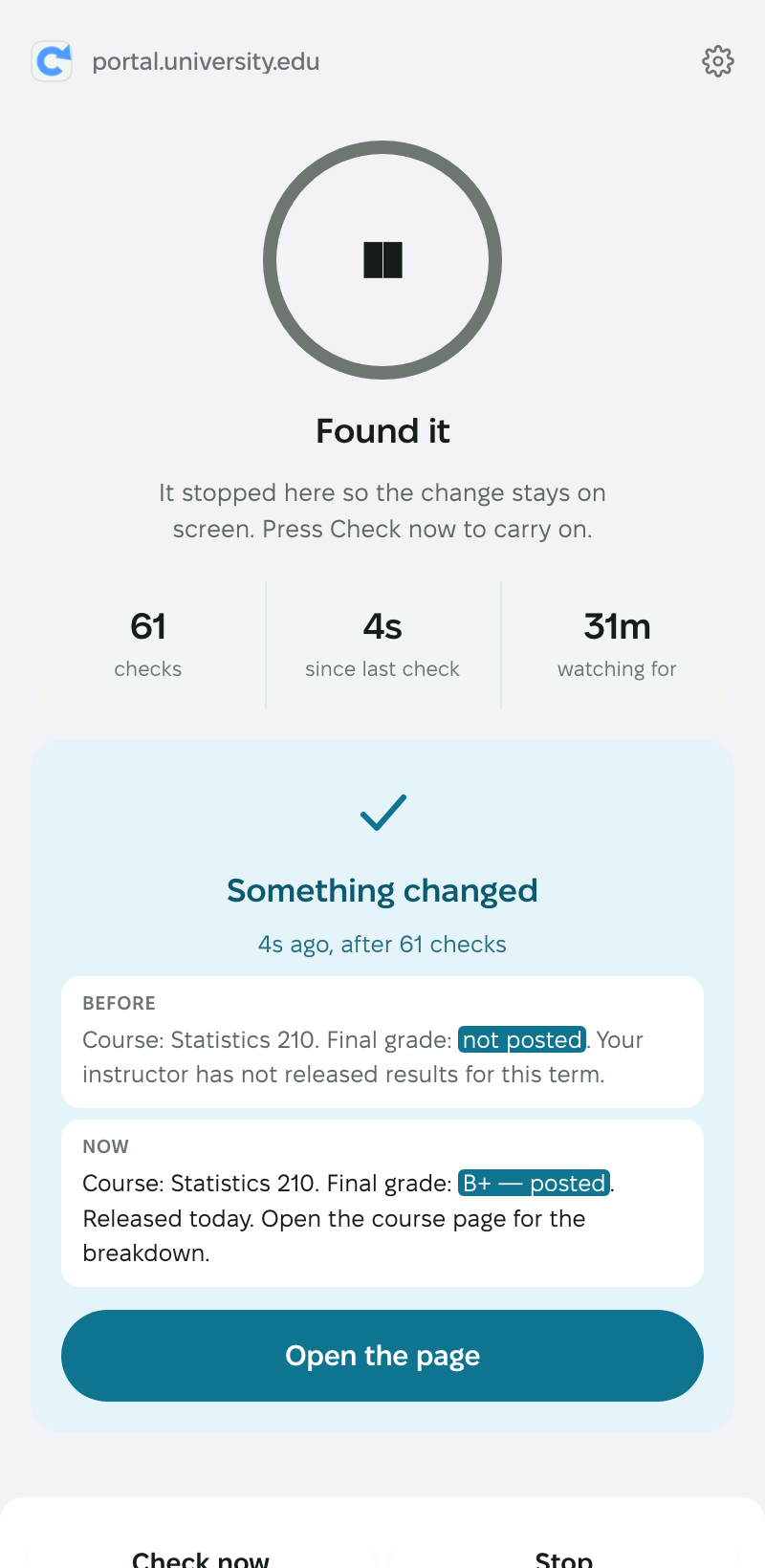
When the page changes, you see the exact words: before and now, with the change marked. One look tells you whether this is what you were waiting for, so you never open the tab just to check.
Part of the paid version — $6.99, one time.
The countdown sits in the corner of the page you're watching, with pause and stop buttons next to it. Glance at it and keep working.
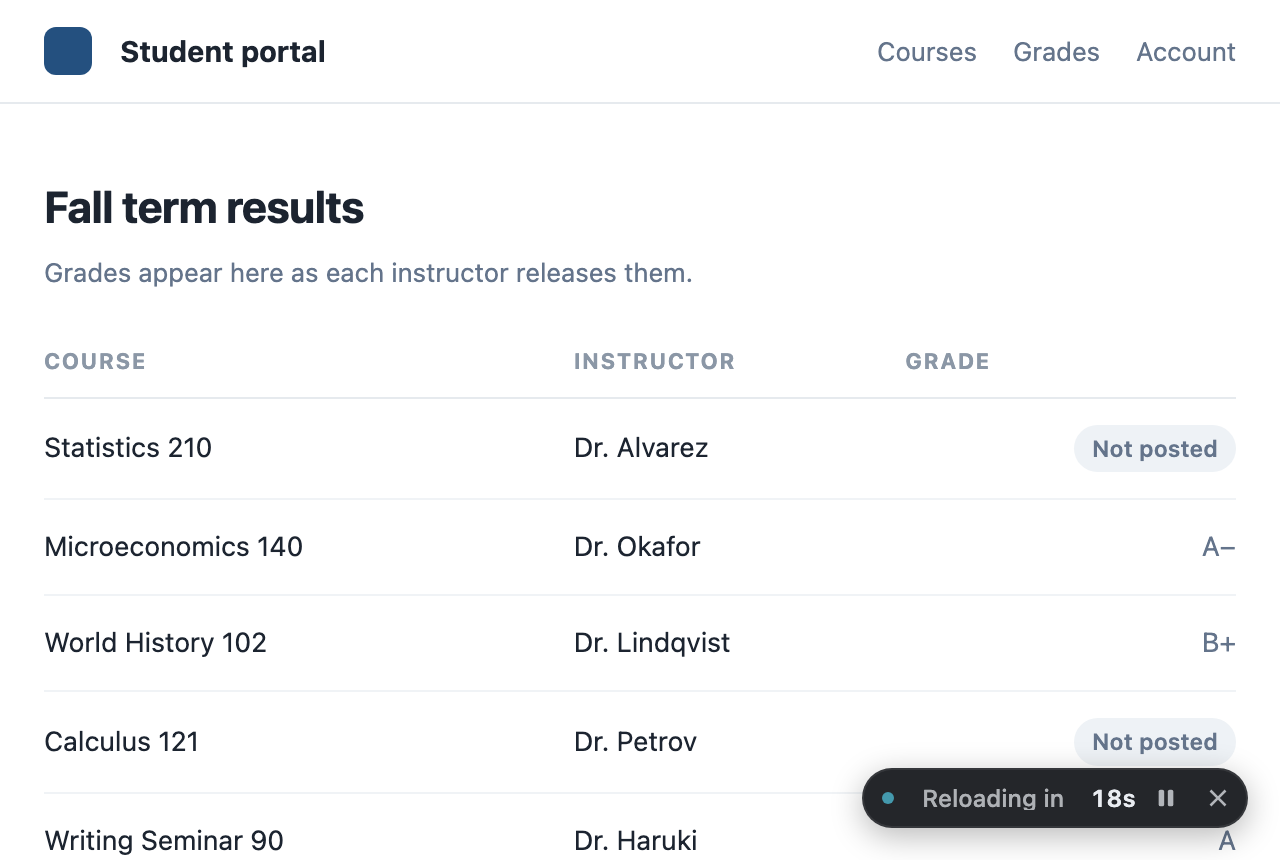
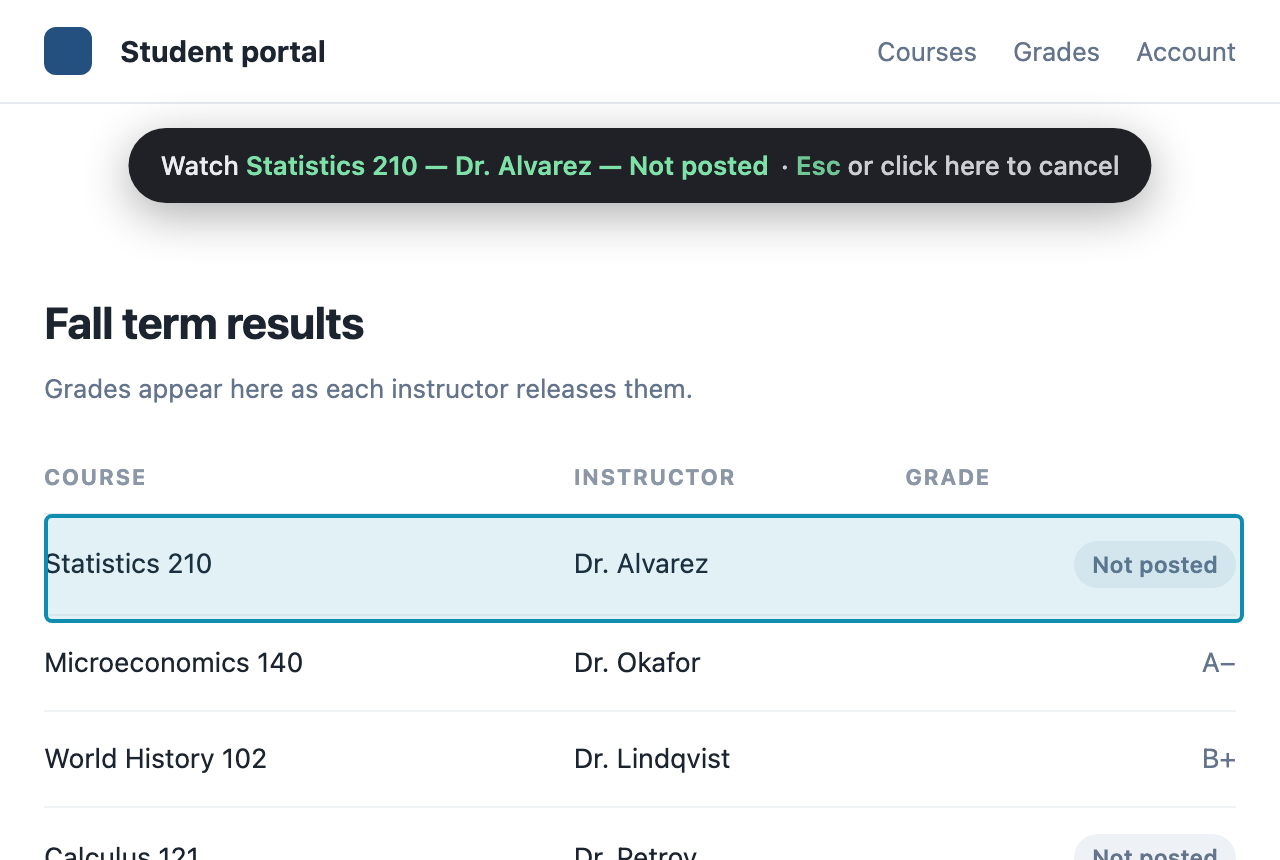
Click the row you're waiting on. Refresh Loop compares that row and nothing else, so a rotating ad or a clock in the corner never sets off the alert.
Move the mouse over the page and a box shows what you'd pick. Press Esc to back out.
Part of the paid version — $6.99, one time.
Checks more often than every 30 seconds only run while the tab is on screen. Chrome slows down tabs you're not looking at, and no extension can get around that. Every extension like this has the same limit.
Running, paused, or it has found something — you can tell without opening anything.
Click or type and the timer holds, so a reload never wipes out what you were writing.
You come back to the same spot on the page after every reload.
A sound and a notification when the page changes. Try the sound before you turn it on.
You allow one site at a time, when you start watching that site.
Refresh Loop compares the text on your own computer.
The countdown, the alerts, the sound and any timing you want — all free, no account, no limits.
The paid version is $6.99 USD, one time. You'll see it in your own currency, with any tax, at checkout. It watches for a word you choose and jumps straight to it, shows the words that changed, watches one part of the page instead of all of it, keeps going after you restart Chrome, keeps going past the first change, brings the tab to the front, and reminds you until you say you've seen it.
Add to Chrome — free